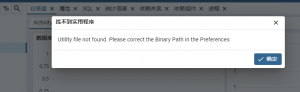
Utility file not found. Please correct the Binary Path in the Preferences
说明 pgAdmin 找不到 PostgreSQL 的命令工具(比如 pg_dump、pg_restore、psql)。
也就是说 pgAdmin 不知道 PostgreSQL 安装在哪里,需要你手动设置路径。
你之前找到的 PostgreSQL 安装路径,如:
/www/server/pgsql/bin/
这里面包含 psql、pg_dump、pg_restore 等工具。
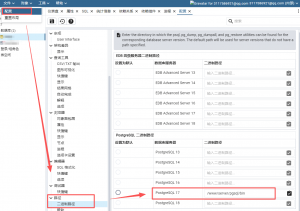
1.打开 pgAdmin → 点击左上角 File → 选择 Preferences
2.在左侧展开:Paths → Binary paths,在右侧根据你的 PostgreSQL 版本设置路径:
比如 PostgreSQL 17 就填:/www/server/pgsql/bin
注:填的是目录,不是具体文件!不要写 /psql
3.点 Save → 重启 pgAdmin